
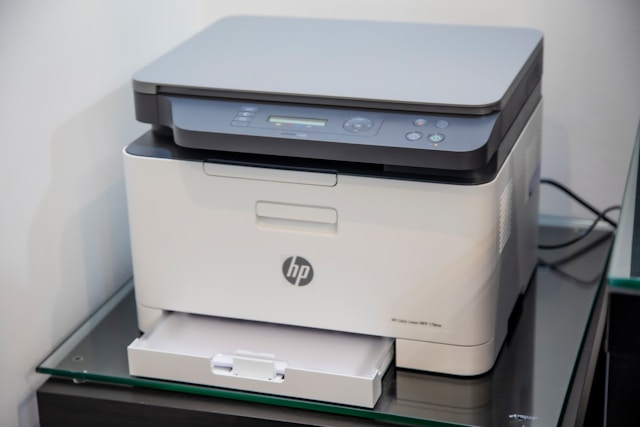
Modern printers are often network-connected devices with their own software, firmware, storage, web interfaces, wireless connections, and cloud-based features. In other words, your printer is no longer simply receiving a file and putting ink or toner on paper. It is another connected device that has to be considered as part of your home’s digital environment.
Patrick Putman of Alabama explains that cybersecurity does not begin and end with protecting a computer or smartphone. It starts with recognizing that even the devices we rarely think about can have a role in our digital lives. In fact, the National Institute of Standards and Technology (NIST) specifically warns that adding internet-connected devices to a network can introduce additional cybersecurity and privacy risks.
Your Printer Is Part of Your Network
If your printer connects to your home Wi-Fi, it communicates across the same network used by computers, phones, tablets, televisions, cameras, and other connected devices. That means a vulnerability in the printer can potentially create another avenue for an attacker to interact with the network.
That does not mean someone can automatically hack your computer simply because you own a wireless printer. Security depends on the specific printer, its configuration, the network, and whether vulnerabilities exist. But the printer should be treated as a connected endpoint rather than an isolated appliance.
The Software Inside Your Printer Matters
Like a computer, a network-connected printer runs software. Manufacturers release firmware updates when they discover bugs, improve functionality, or address security vulnerabilities.
Ignoring those updates can leave a device exposed after a manufacturer has already provided a fix.
This is not merely theoretical. HP has published security bulletins documenting vulnerabilities affecting specific printer models. One 2022 vulnerability affecting certain HP print products was rated 9.8 out of 10 under the CVSS scoring system, with potential for remote code execution. HP’s recommended resolution was to update the printer’s firmware.
Another HP security bulletin documented vulnerabilities that could allow unauthorized configuration changes or denial-of-service attacks on affected printers. Again, the recommended fix was a firmware update.
The lesson for homeowners is straightforward: a printer that has never been updated is not necessarily a secure printer simply because it is sitting inside your house.
Default Passwords Can Create an Opening
Many connected printers have administrative settings that can be accessed through a web browser or the printer’s control panel. Depending on the model, those settings can control network configuration, security options, firmware, and other functions.
If administrative credentials are weak, unchanged, or easily guessed, someone who gains access to the printer’s management interface may have more control than the average user realizes.
When setting up a printer, homeowners should therefore review the manufacturer’s security instructions and change default administrative credentials when the device allows it. A strong, unique password is preferable to a password reused elsewhere.
What Your Printer Knows About You
A printer does not necessarily retain a permanent copy of every document you print, but modern printers can process and, depending on the model, temporarily or persistently store information.
Multifunction printers may also scan, copy, fax, email, and connect to cloud services. Some devices include internal storage intended to support these functions.
That makes the type of documents being processed important.
A home printer might handle tax returns, medical paperwork, financial statements, employment documents, school records, legal correspondence, or copies of identification. If a device or associated service is compromised, the potential consequences can go well beyond someone printing an unwanted page.
Storage capabilities vary substantially by model, so homeowners should check the manufacturer’s documentation before assuming that a particular printer does or does not retain data.
Wireless Printing Creates Another Connection
Wireless printing is convenient because it eliminates the need to run a cable between a computer and printer. But convenience also means the printer becomes another participant on the wireless network.
The security of that connection matters.
NIST recommends considering the cybersecurity requirements of connected devices as part of the broader network environment. Its guidance on small-business and home IoT devices explains how controlling the network communications available to an IoT device can improve resilience against network-based attacks.
For homeowners, that means securing the Wi-Fi network itself remains important. A strong wireless password and modern security settings protect more than computers and phones; they also help protect the connected devices using that network.
Cloud Features Can Add Complexity
Many newer printers offer features that allow users to print remotely, scan documents to cloud storage, receive documents through online services, or manage the printer through an app. These features can be useful, but every additional connection needs to be secured.
Before enabling a remote-printing or cloud feature, consider whether you actually need it. If you never print while away from home, disabling unnecessary remote-access capabilities can reduce the number of services associated with the device.
Keeping a Home Printer Safer
Securing a home printer does not require turning it into a complicated IT project.
Start by identifying the exact make and model and checking the manufacturer’s support page for current firmware. If automatic updates are available and appropriate for the device, consider enabling them. Review the printer’s administrator settings and replace default credentials.
Check how the printer connects to your network and whether you actually use every remote-access or cloud feature that has been enabled. Features that you do not need do not necessarily need to remain active.
It is also worth reviewing who can access the printer. If you live in a household where guests regularly use your Wi-Fi or if the printer is accessible from multiple devices, understanding those connections can help you make better security decisions.
For particularly sensitive documents, consider whether the printer’s storage, cloud features, and other capabilities are appropriate for the information being handled.
Don’t Forget About the Physical Printer
A printer sitting in an accessible location can expose information in a surprisingly simple way. A sensitive document left in the output tray can be seen or picked up by someone else without anyone ever compromising the device.
The same applies to discarded pages, scan histories, and devices that are eventually sold, recycled, or given away.
Printer security therefore involves both digital and physical information. HP’s 2025 research on printer security found that 70% of surveyed IT decision-makers were increasingly concerned about offline threats involving printed sensitive information.
While that research focused on organizations rather than households, the underlying principle applies at home: protecting information means considering what happens before, during, and after a document is printed.

A Small Device Worth Taking Seriously
Your home printer probably isn’t the first device you think about when considering cybersecurity. It should not necessarily become your biggest security concern, either. But ignoring it completely is a mistake.
A network-connected printer is a computer-like device with software, communications capabilities, and potentially access to sensitive information. Vulnerabilities have been documented in real-world printer models, and manufacturers periodically release firmware updates to address them.
The good news is that basic precautions can substantially improve your position. Keep the firmware current, use strong administrative credentials, secure the home network, disable unnecessary remote features, and pay attention to the information being printed and stored.
Technology does not have to be sophisticated or expensive to have a meaningful impact on how we live and work. As the smallest pieces of technology can sometimes have the biggest impact, the printer sitting beside your desk deserves more attention than it might normally receive.
From a cybersecurity perspective, it is no longer just an appliance. It is another connected device that belongs inside your security plan.